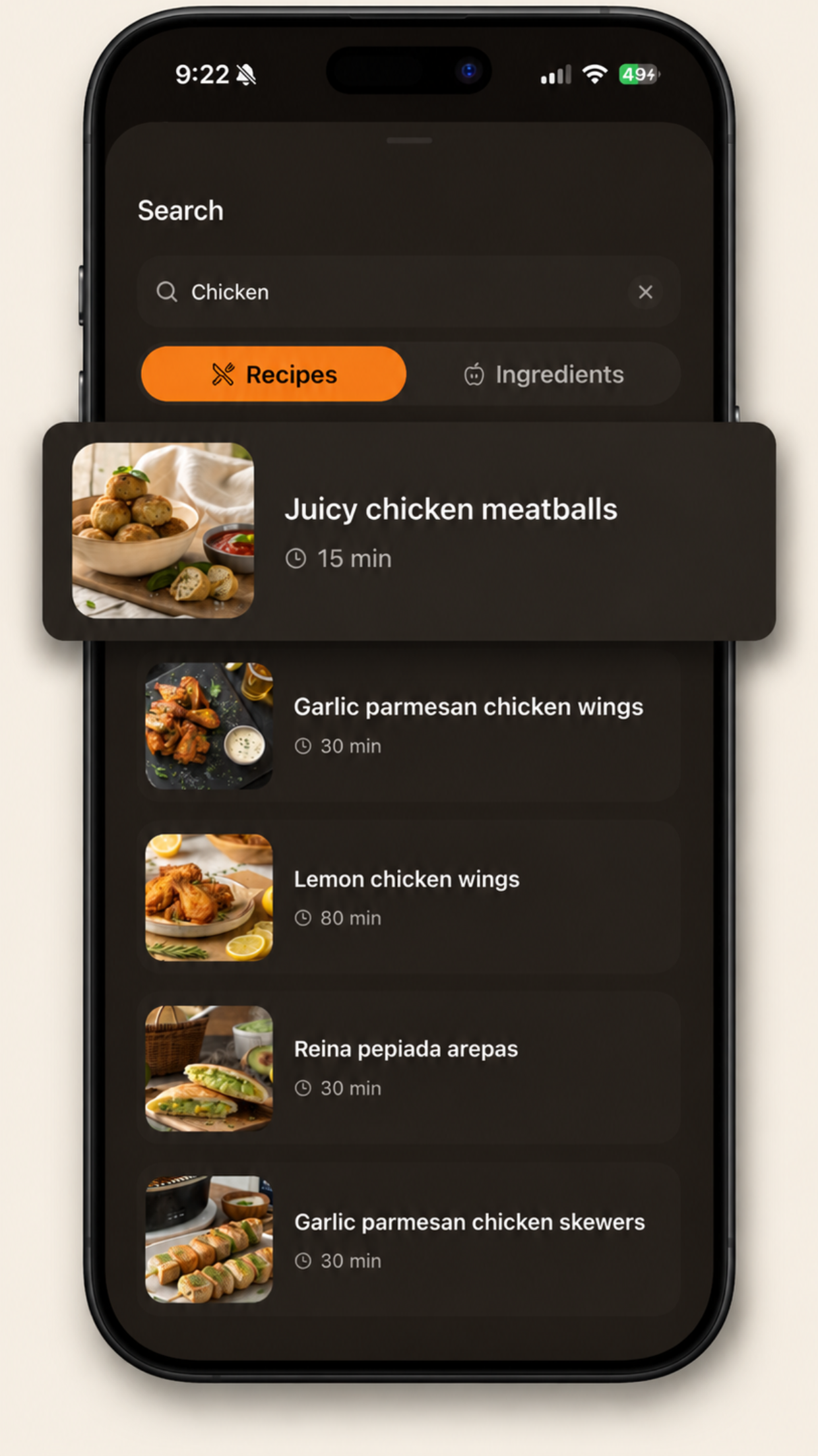
The fastest way to decide dinner is to reverse the usual order: instead of choosing a recipe and shopping for it, start from the ingredient that's already in your fridge and find the recipe around it. One search for "chicken" or "potato" turns tonight's leftovers problem into a menu.
Why ingredient-first beats recipe-first on weeknights
- Zero shopping. The ingredients are already paid for and already home.
- Less waste. The half pepper and the lonely chicken breast become dinner instead of compost.
- Faster decisions. "What can I make with X?" has a handful of answers. "What do I want?" has hundreds.
How to search by ingredients in Brasa
- Tap the search icon on the home screen.
- Switch the toggle from Recipes to Ingredients.
- Type one or more ingredients, separated by commas or spaces: "chicken, potato" or just "cod".
- Brasa lists every recipe whose ingredient list matches all your terms, each with its cook time on the card.
With multiple terms, results must contain every one of them, so "chicken, cheese" finds the dishes that use both, not either.
Pairings that always produce dinner
| You have | Search | You'll land on |
|---|---|---|
| Chicken + pantry basics | chicken | meatballs, wings, skewers |
| Potatoes + eggs | potato, egg | tortillas, loaded wedges |
| Tortillas + leftovers | tortilla | chimichangas, quesadillas |
| White fish + lemon | cod | crispy cod, fish tacos |
| Bell peppers + ground meat | bell pepper | stuffed peppers |
The fridge decides, the app finds. Ingredients mode is built into Brasa's search, and every result card shows the cook time, so you can pick between the 15-minute and the 33-minute answer at a glance.